Profile & account
Where members go: Account → Profile (/dashboard/profile).
What members can change themselves
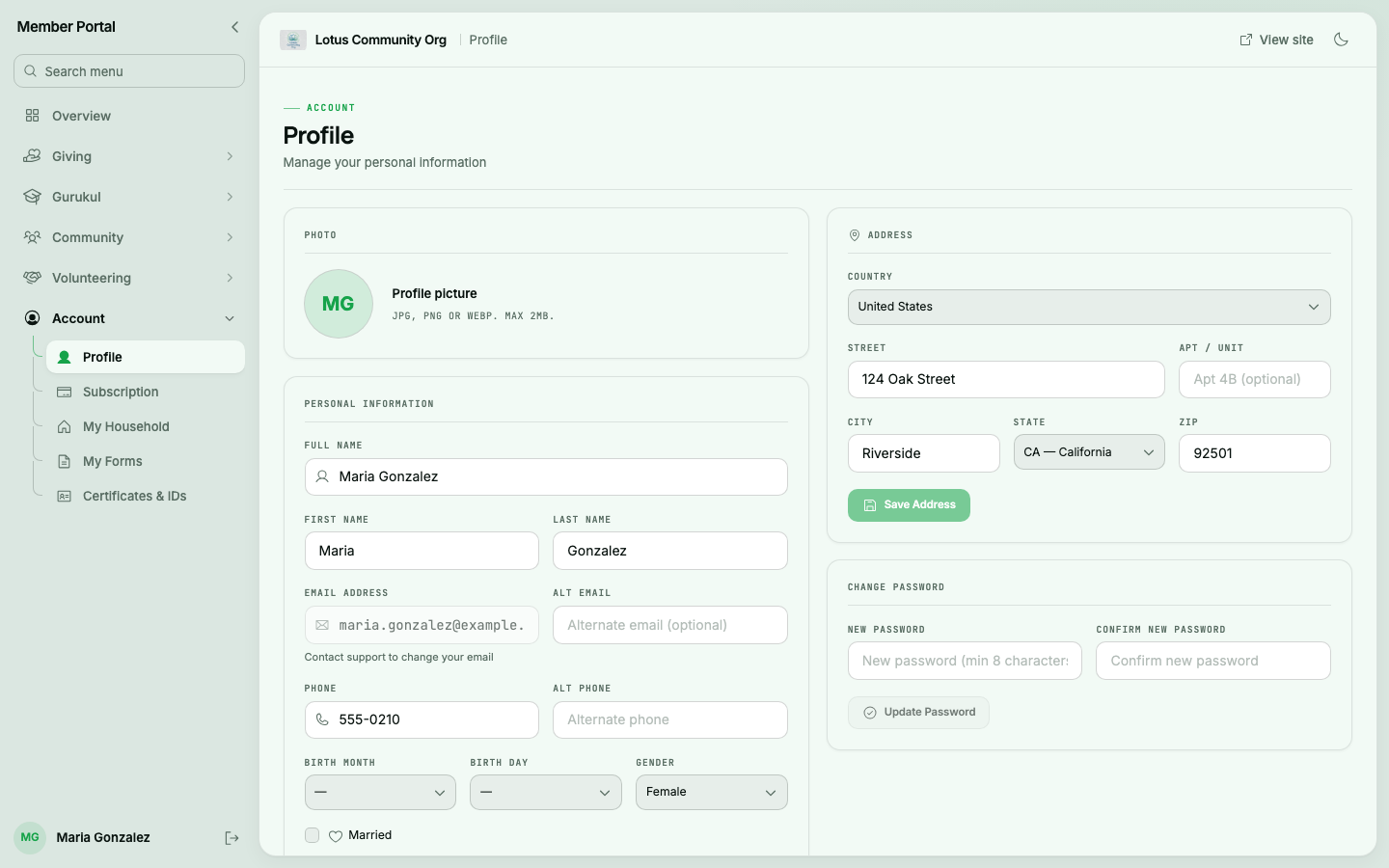
Section titled “What members can change themselves”- Photo — upload a profile picture (JPG, PNG, or WebP, up to 2 MB). They crop it to a circle before it saves.
- Personal details — full name, first/last name, alternate email, phone and alternate phone, birth month and day, gender, and marital status (with a spouse name field when married).
- Address — country, street, apartment/unit, city, state or province, and ZIP/postal code. The state field becomes a dropdown for the US and Canada.
- Password — set a new password (at least 8 characters). No current-password is required on this screen.
Personal details, address, and password each save with their own button.
What members cannot change here
Section titled “What members cannot change here”- Their login email is read-only — the page tells them to contact your organization to change it. A staff member changes it from All Members.
- Role, membership, and household are not changed from the profile page — membership is under Membership & billing, household under Household, and roles are staff-only.