Volunteer hours
Track the service hours volunteers give — logged by the volunteers themselves or by staff — with an approval step and reporting.
Who can access: View / Add / Edit volunteer hours and View volunteer report for staff. Members log their own hours in the portal. Part of the Volunteers module.
Where: left menu → Volunteers.
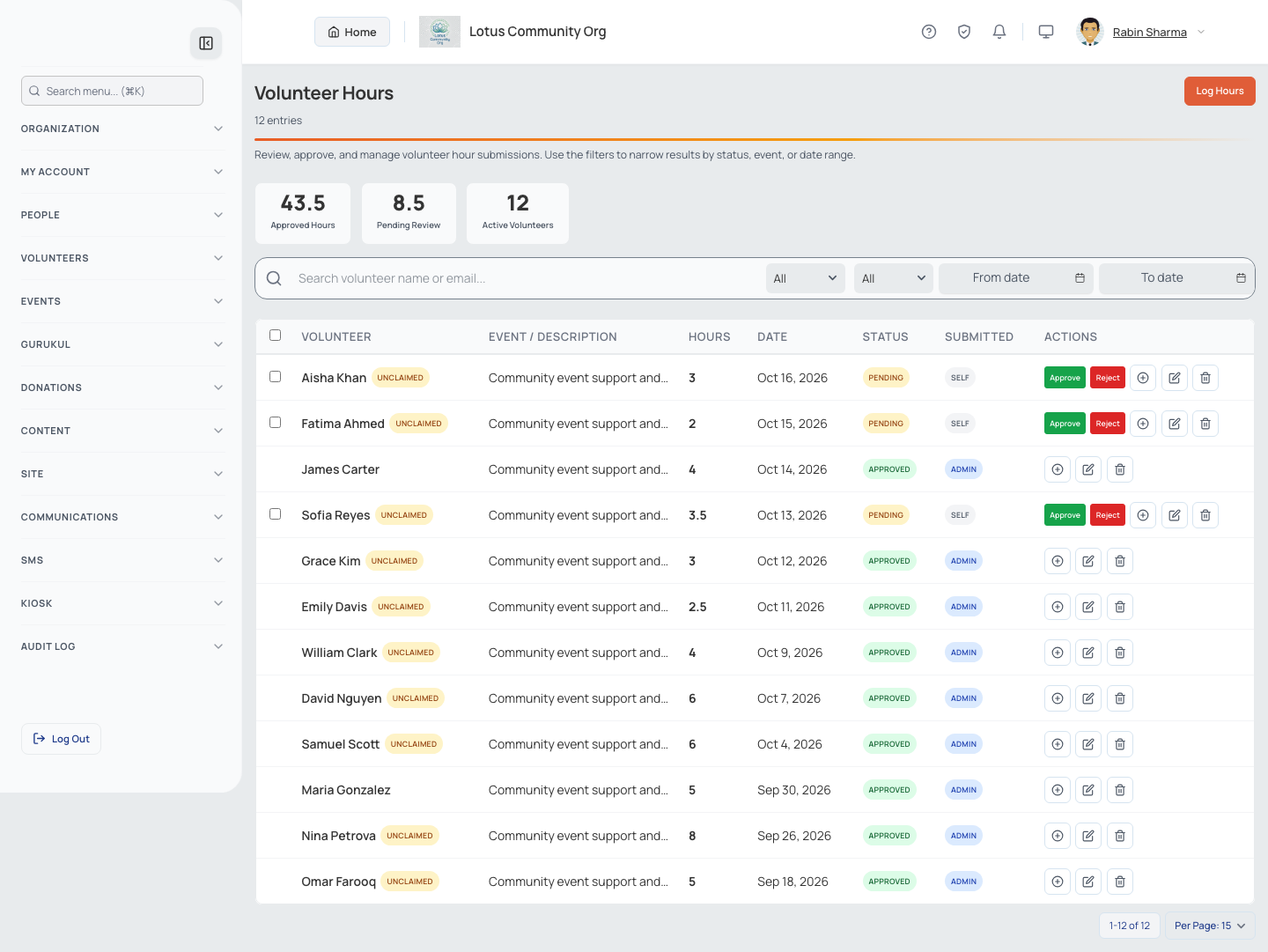
How hours get logged
Section titled “How hours get logged”- Volunteers log their own from the member portal — they choose an event or a general description, enter hours and a date, and submit. One submission can cover several dates at once.
- Staff log on someone’s behalf from Volunteers → Log Hours, searching for the volunteer. Staff-logged hours are approved automatically.
Approving hours
Section titled “Approving hours”Hours volunteers submit start as pending. Staff approve or reject them (with an optional reason). Volunteers get an email when their hours are approved or rejected.
Roster and reports
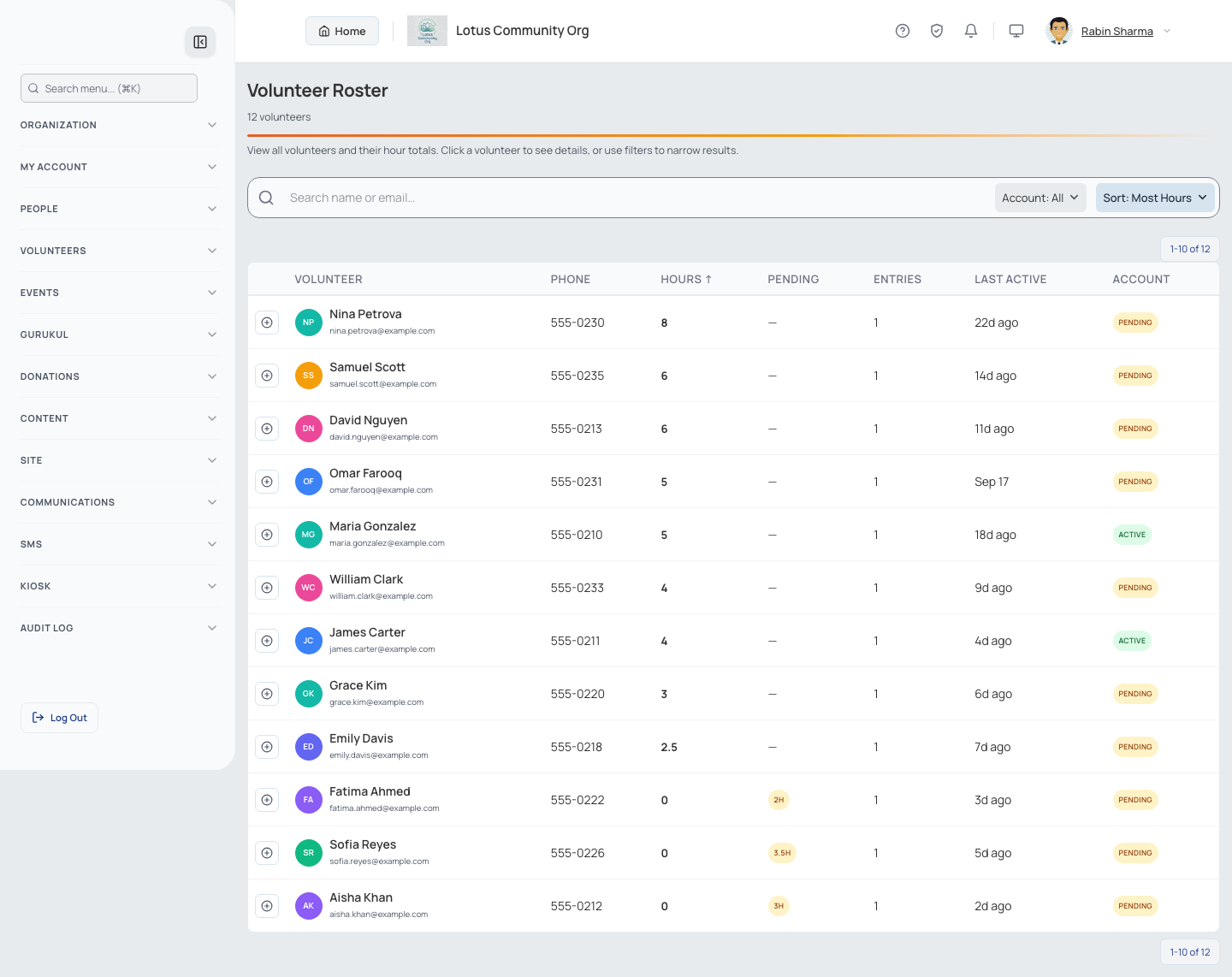
Section titled “Roster and reports”- Volunteer Roster lists every volunteer with their total hours.
- Volunteer Report shows totals over a date range, a leaderboard, top events, and a trend chart, and exports to CSV. You can also send each volunteer a year-end summary of their service.
Related
Section titled “Related”- Volunteer hours can feed a class fee discount if you set one up — see Settings.