Donations
Sevabase brings every gift together: online donations through your website, gifts you log by hand, and in-person card payments all land in one donation ledger.
Who can access: staff with Manage donations (reports need View donation report). Part of the Donations module. Members give through your public site or their portal.
Where: left menu → Donations.
Accepting donations online
Section titled “Accepting donations online”Your public site has a donation form (and donation blocks you can add to any page). Donors can:
- Give a one-time gift, or set up recurring giving.
- Choose a purpose (a fund or cause) if you’ve set them up.
- Optionally cover the processing fee so your organization receives the full amount.
Donations need Stripe connected. Donors can pay by card, Apple Pay, Google Pay, or bank transfer, depending on your Stripe setup.
Donation funds and products
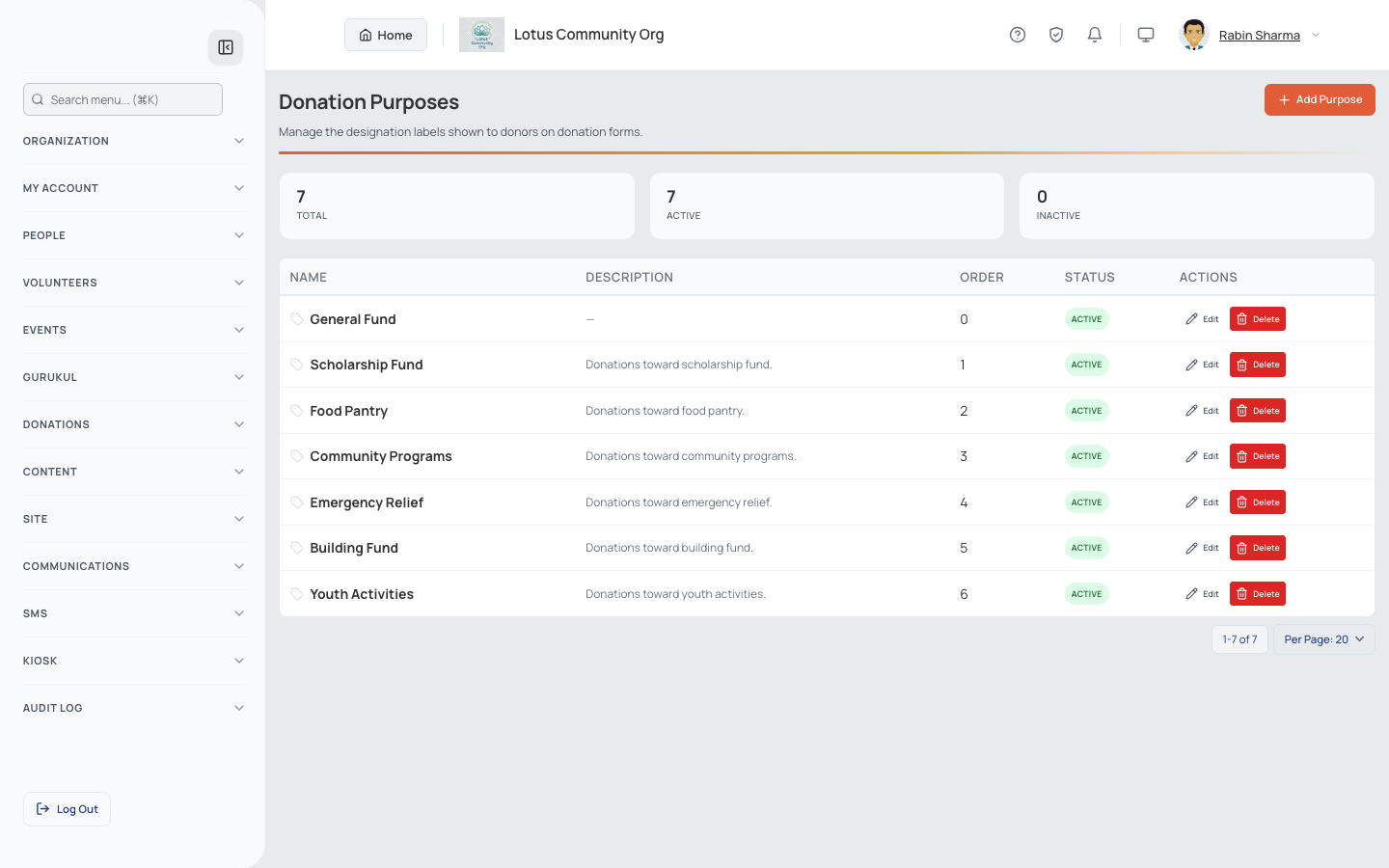
Section titled “Donation funds and products”- Purposes (funds) — let donors direct a gift to a specific cause, like a building fund. Manage them under Donations → Purposes.
- Products — set-price giving campaigns donors can subscribe to monthly or yearly.
Recording gifts you receive offline
Section titled “Recording gifts you receive offline”For cash, check, or gifts received at an event, use Donations → Add Donation:
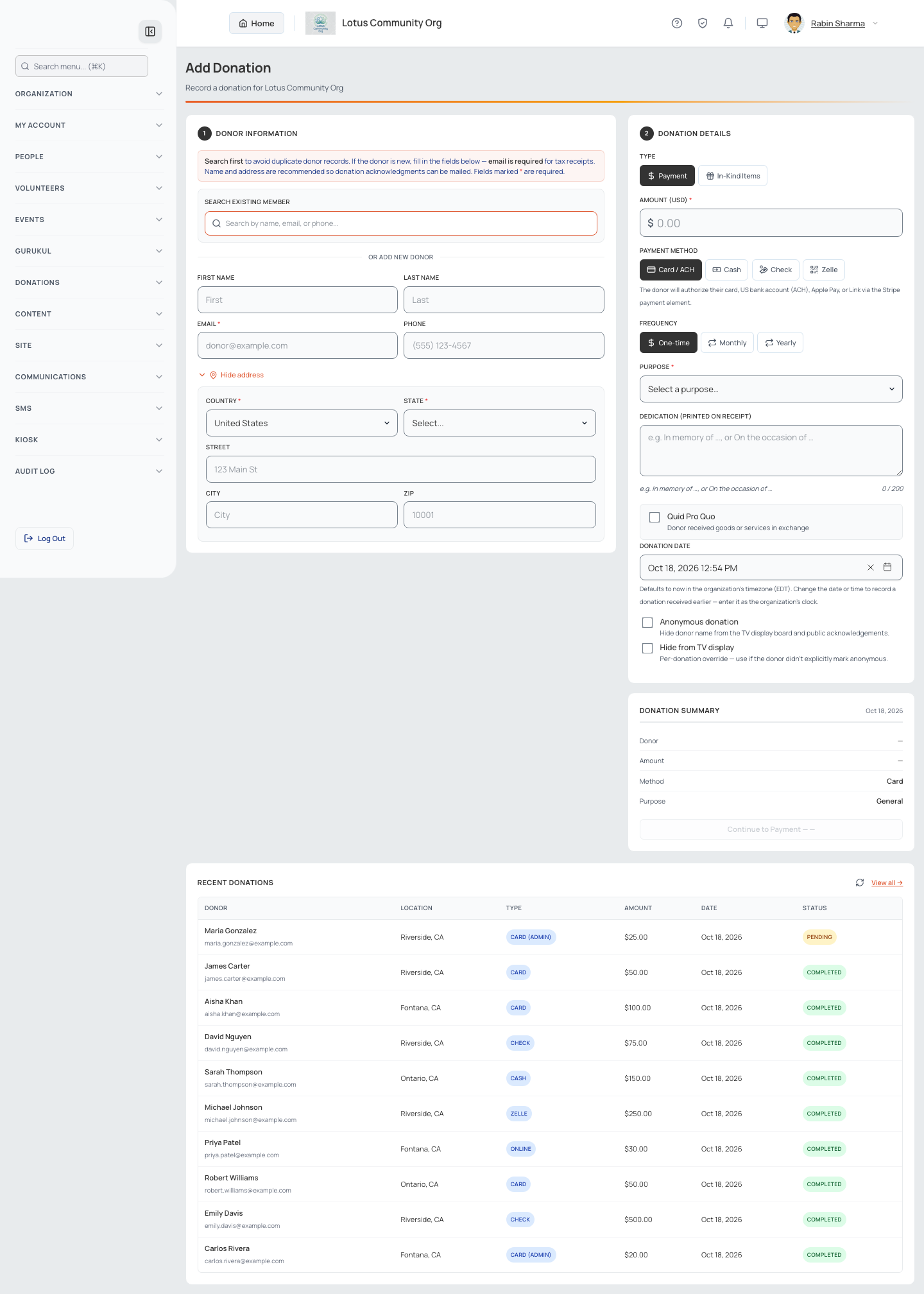
- Cash, check, or Zelle — logs a completed gift and sends a receipt.
- Card — enter a card payment taken by staff.
- In-kind — record donated goods (clothing, food, supplies) with an estimated value and category.
You can attach the gift to an existing donor or create a new record, and you can backdate the donation date.
Seeing your donations
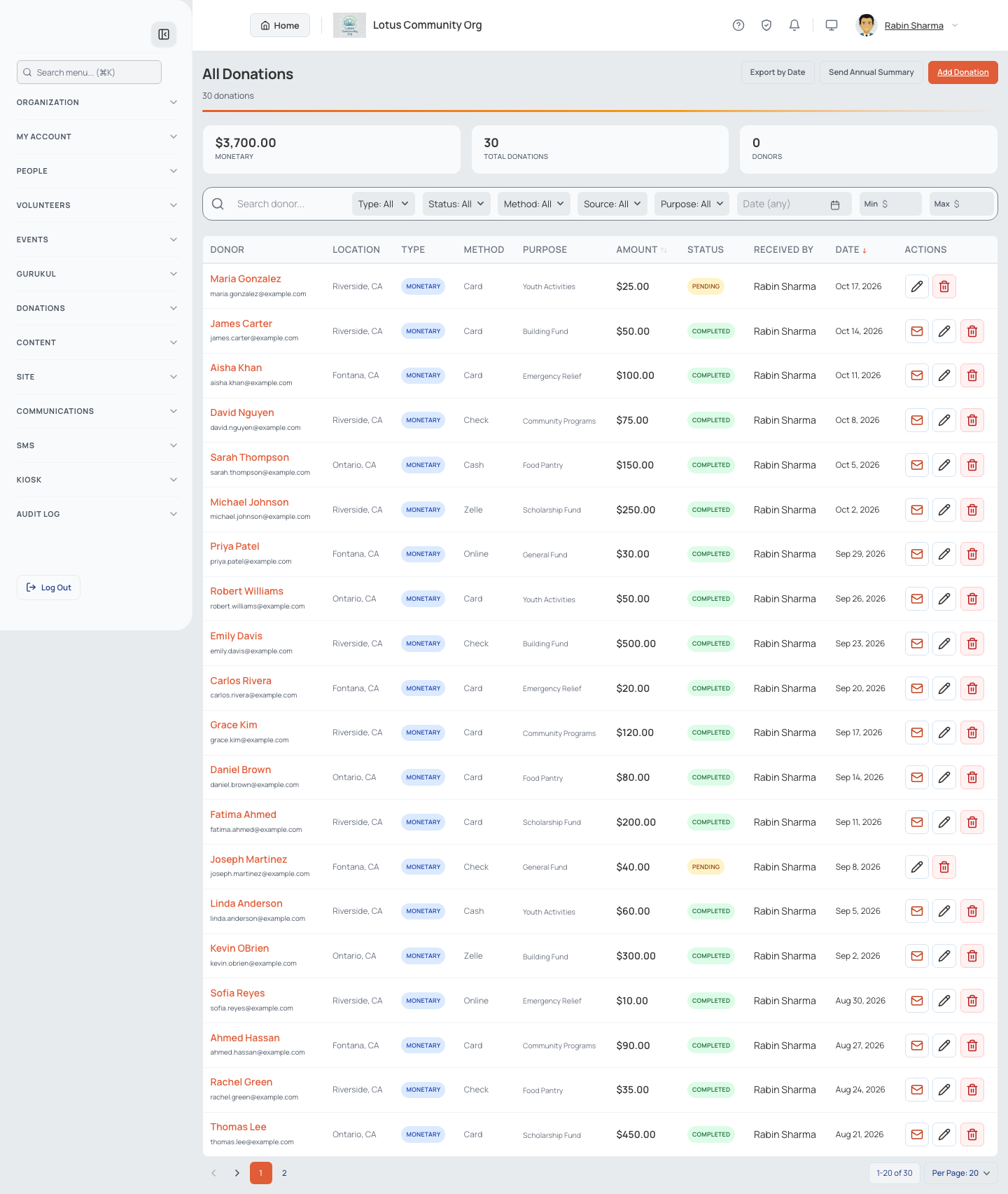
Section titled “Seeing your donations”Donations → All Donations lists every gift with search and filters. The totals at the top update as you filter.
The donation TV board
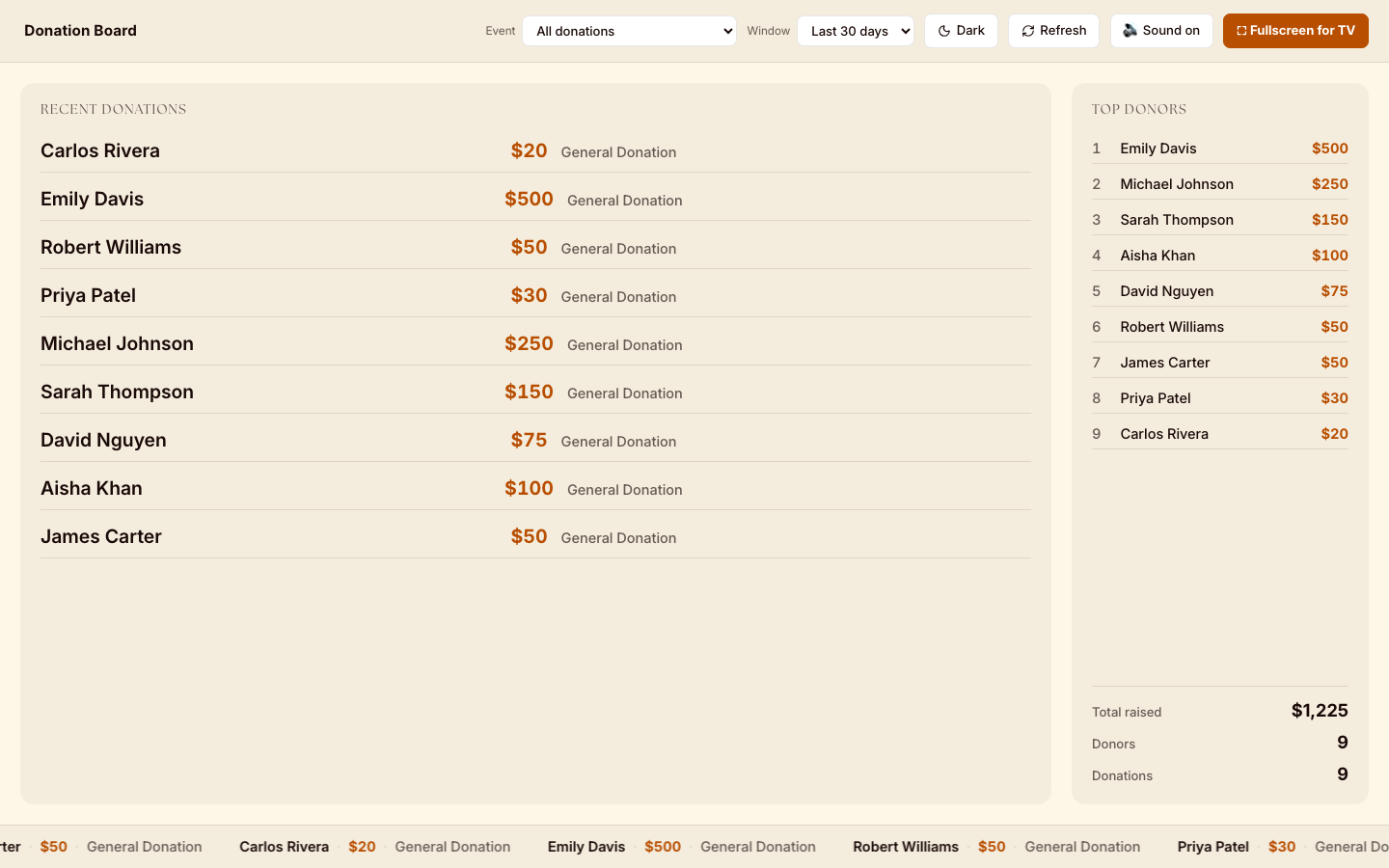
Section titled “The donation TV board”For events, open Organization → Donation TV Board — a full-screen live display of recent gifts, top donors, and totals, meant to be projected on a screen. Gifts marked anonymous or hidden don’t appear.
Related
Section titled “Related”- Recurring giving
- In-person card payments (Kiosk)
- Receipts & year-end tax statements
- Reports & exports
Limitations
Section titled “Limitations”- Refunds are issued from your Stripe dashboard, not inside Sevabase.
- All amounts are in US dollars.