Importing your members
If you already have a member list in a spreadsheet, you can bring everyone in at once with Bulk Member Import instead of adding people one by one.
Who can do this: staff with the Bulk import members permission. This is part of the Member CRM module.
Where: left menu → People → Bulk Member Import.
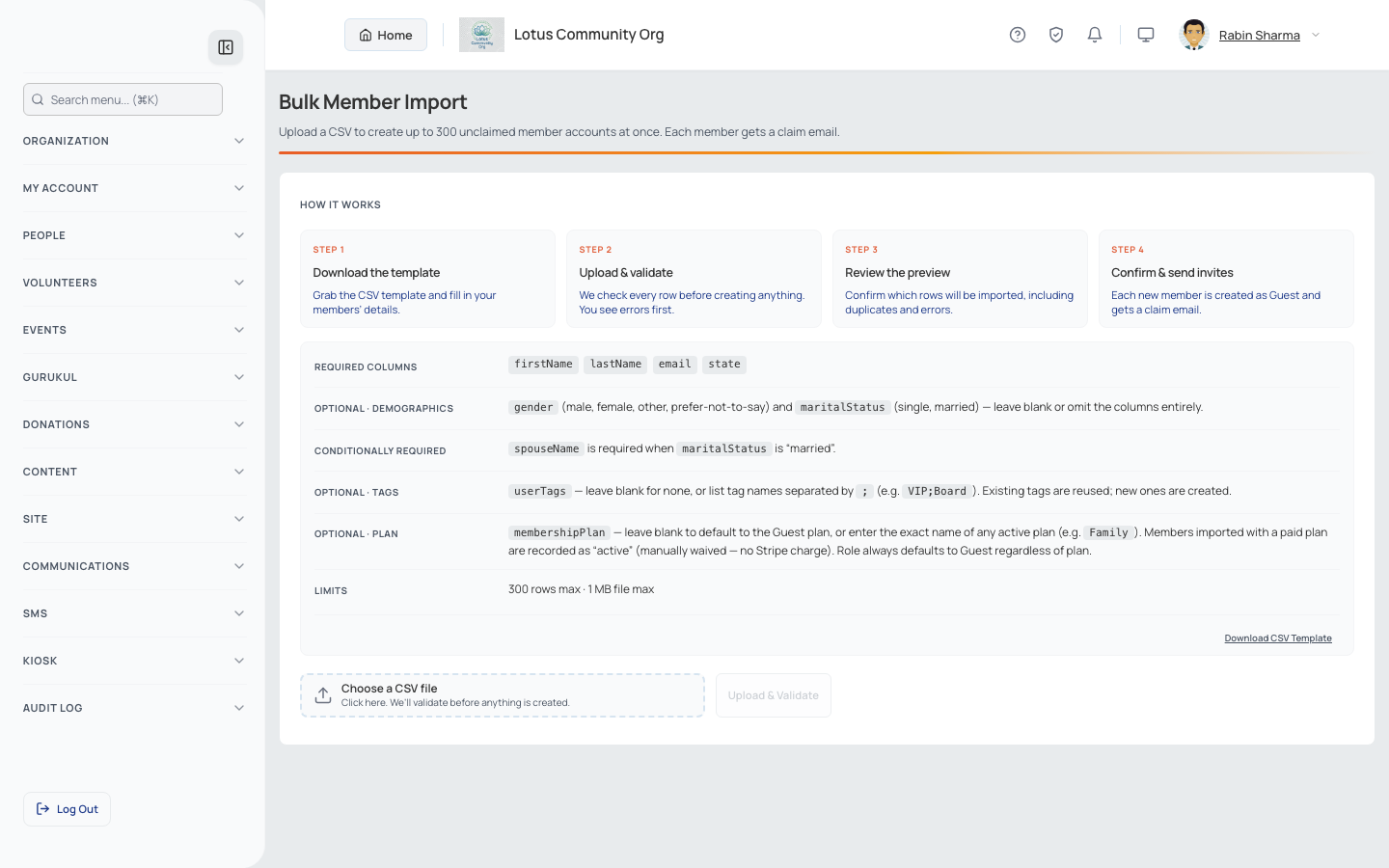
How it works
Section titled “How it works”- Open Bulk Member Import and download the template CSV.
- Fill in one row per person. The import checks your columns before anything is created.
- Upload your file. You’ll see a preview of what will be imported, including any rows with problems.
- Confirm. Each person is created as an account, and anyone with an email is sent a link to claim their login and set a password.
What goes in the file
Section titled “What goes in the file”Required columns: first name, last name, email, and state.
Optional columns include: phone, alternate email/phone, gender, marital status, spouse name, birth month and day, member-since date, full address, tags, and membership plan.
- Tags — separate multiple tags with a semicolon (for example
Board;Youth). New tags are created automatically. - Membership plan — put the plan name (for example
Family). Leave blank for the default free plan.
Unknown columns will stop the upload, so stick to the template’s column names. Empty optional cells are fine.