Instructor tools (for members)
A member who is assigned to teach a class gets instructor tools inside their member portal. These appear only for people with the instructor permission, and only for the classes they actually teach.
Where: the Learning menu gains Classes and Chat links (alongside
Gurukul) for instructors; everything lives under /dashboard/instructor.
What an instructor can do
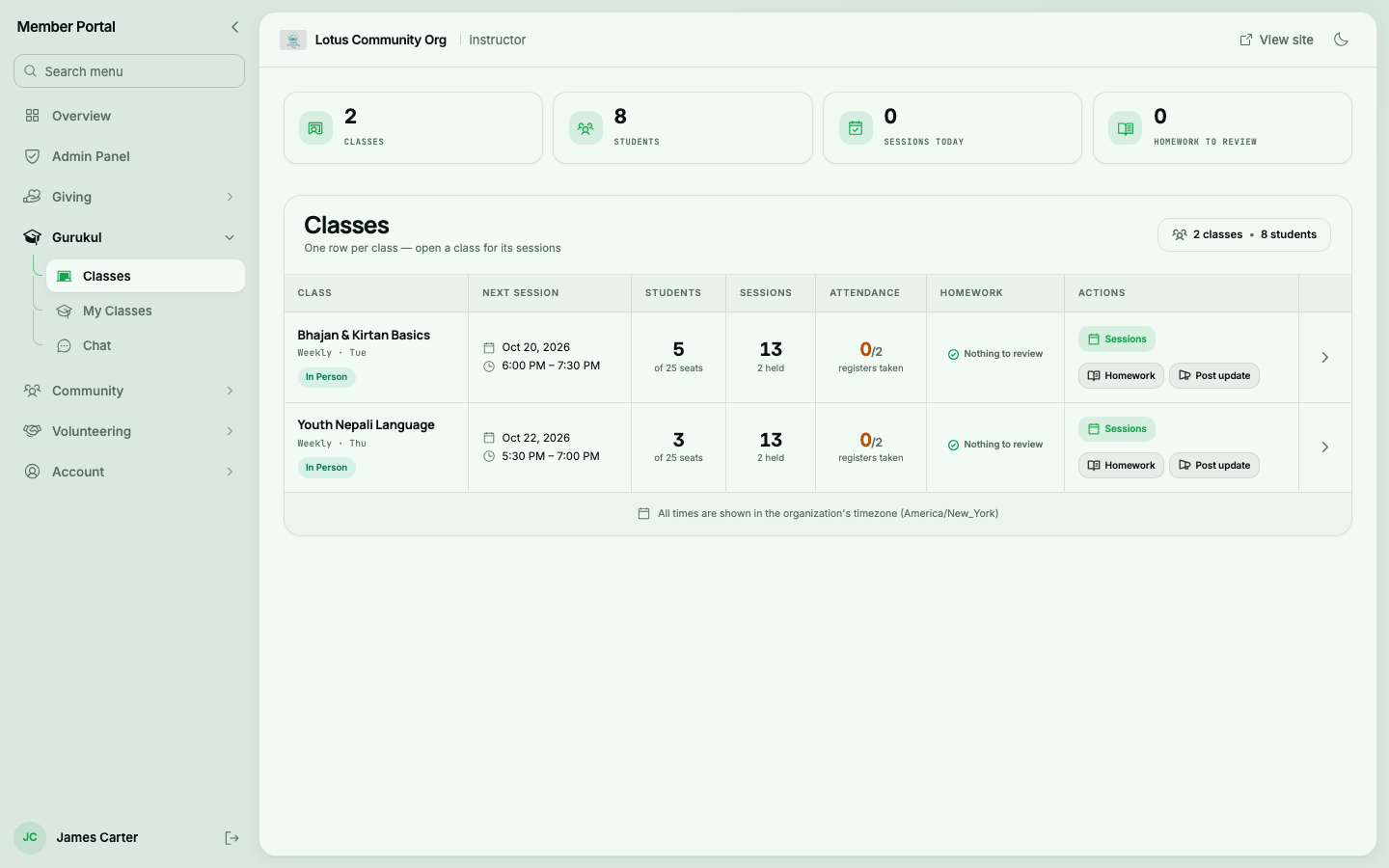
Section titled “What an instructor can do”- Classes overview — summary cards (their classes, students, today’s sessions, homework to review) and a row per class with the next session, enrollment count, sessions held, and attendance taken.
- Take attendance — mark each student Present, Late, Absent, or Excused for a session. Attendance can be taken for any session (past, today, or upcoming), not just the current one.
- Sessions — see the schedule, open a session, and add session content: the topic, a recap families can read, and materials (files, links, videos).
- Homework — review what students submit, and mark submissions reviewed.
- Post updates — send announcements, homework, or materials to enrolled families, with an option to also email them.
- Chat — a private message inbox with the families in their classes, with unread indicators and search.
All times shown to an instructor are in your organization’s timezone.
What an instructor cannot do
Section titled “What an instructor cannot do”- See or manage classes they don’t teach — they’re limited to their own classes.
- See any payment, refund, or billing details for students. The instructor tools cover teaching only — roster, attendance, sessions, homework, updates, and family chat. Payments and enrollment management stay with staff (see Classes).
Setting someone up as an instructor
Section titled “Setting someone up as an instructor”A member becomes an instructor when staff assign them to a class as its instructor — that automatically gives them the instructor tools for that class. See Classes and Roles & permissions.