Organization profile & branding
Your organization profile is the information that appears everywhere — on your public site, in every email, and on donation receipts. Set it up early.
Who can do this: staff with the Organization Info permission (Admins have it). See Roles & permissions.
Where: left menu → Organization → Organization Info.
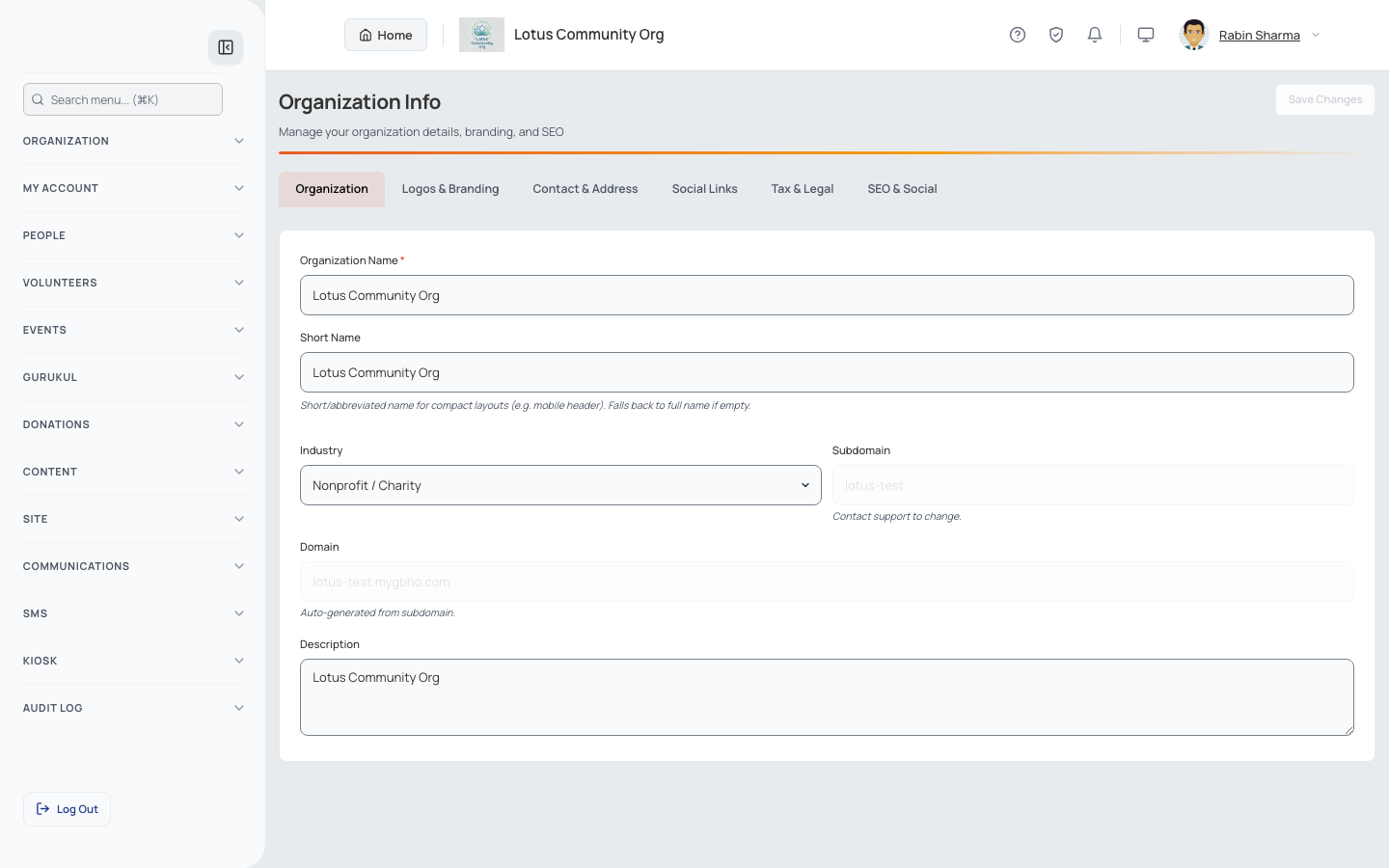
What to fill in
Section titled “What to fill in”- Organization name — your legal or common name. Shown on your site and in emails.
- Short Name — an editable short form of your name, used where space is tight.
- Logo — uploaded here. You can also add a separate mobile logo, footer logo, Login Screen Media, and Favicon. When you upload an image that does not fit the required shape, you will be asked to crop it.
- Contact email and phone — where members and the public reach you.
- Address — used on receipts and in your site footer.
- Tax details — your legal name, EIN, and tax-exempt status. These are required for proper donation receipts and year-end tax statements. If you leave them blank, receipts will be missing the information donors need.
Your Domain (the subdomain you were set up on) is shown read-only on this page — it’s generated automatically and isn’t a free-text field. To use your own domain name instead, go to Organization → Custom Domain.
Branding beyond the logo
Section titled “Branding beyond the logo”Your site’s colors and fonts are set separately under Site → Site Themes — see Your public website. The look of your emails is set under Email branding — see Email & newsletters.