Household (for members)
Members manage their family under Account → My Household
(/dashboard/household). (Requires the Households module.) What a member can
do here depends on whether they are the primary contact.
What every member sees
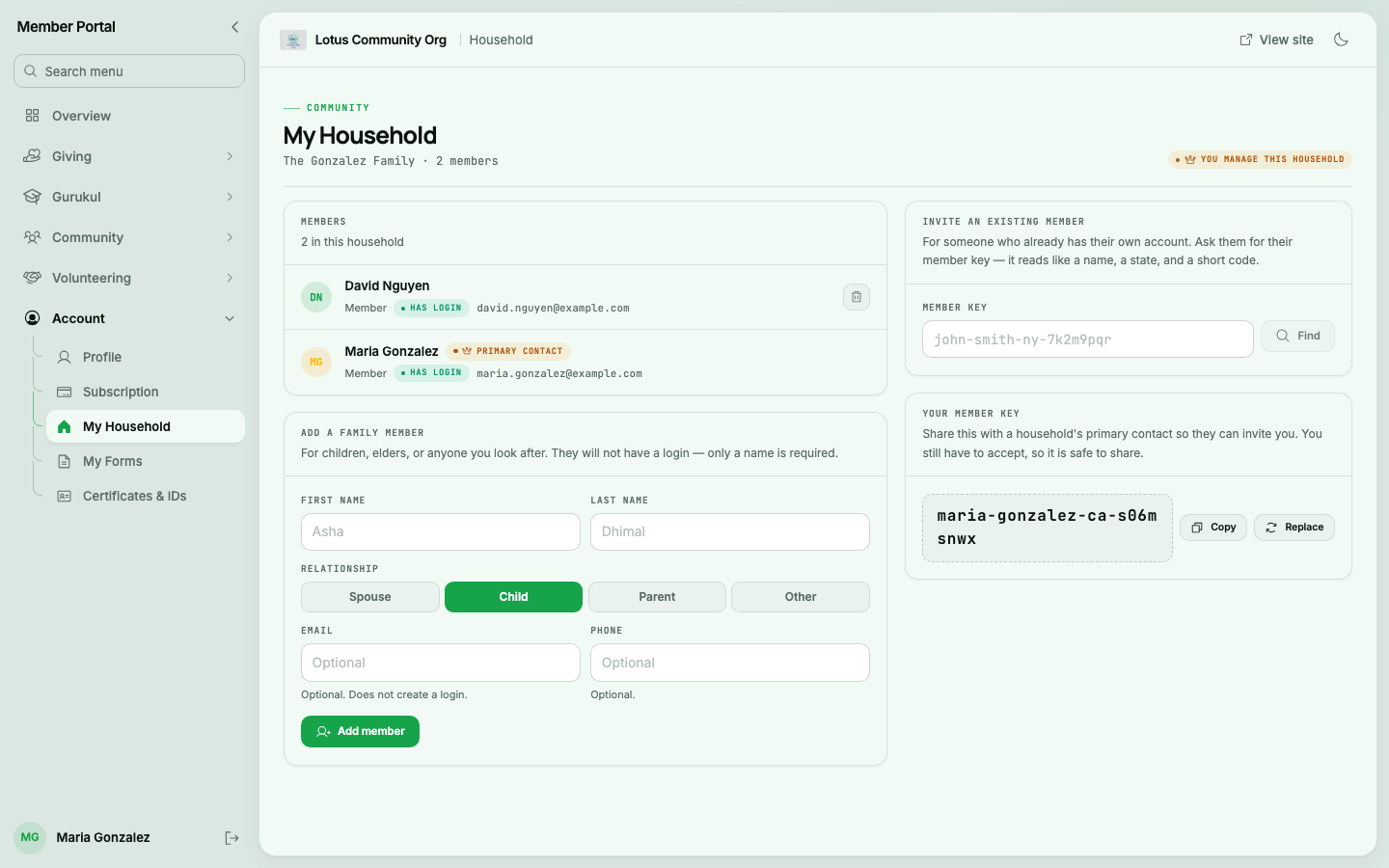
Section titled “What every member sees”- Their household roster — each person’s name, role (primary, spouse, child, parent, other), and account status (has a login, invite pending, or no login).
- Invitations addressed to them — they can accept (which moves them into that household) or decline.
- Their share key — a personal code they can copy or replace. Someone uses this key to invite them into a household without knowing their email.
- If they have no household yet, a button to create one and become its primary contact.
What the primary contact can additionally do
Section titled “What the primary contact can additionally do”- Add a family member — by name only (a managed member with no login).
- Invite an existing member — by their share key, choosing their family role.
- Edit a managed (no-login) member’s details.
- Remove a member from the household.
- See and cancel invitations they’ve sent.
What members cannot do
Section titled “What members cannot do”- A member who isn’t the primary contact sees the roster but no add, invite, edit, or remove controls — those belong to the primary contact.
- A member with their own login manages their own profile; the primary contact can’t edit it for them.
- A person belongs to one household at a time, which is why joining another household requires accepting an invitation.