Text messaging (SMS)
Once your organization’s texting number is set up and verified, you can send text reminders and notifications to members who have agreed to receive them. This page covers day-to-day use; for first-time setup and carrier verification, see the SMS setup guide.
Who can access: sending messages, the SMS log, and the Overview need the Send SMS / manage SMS permission; number setup and verification need the Manage SMS numbers permission. SMS is part of the SMS plan module.
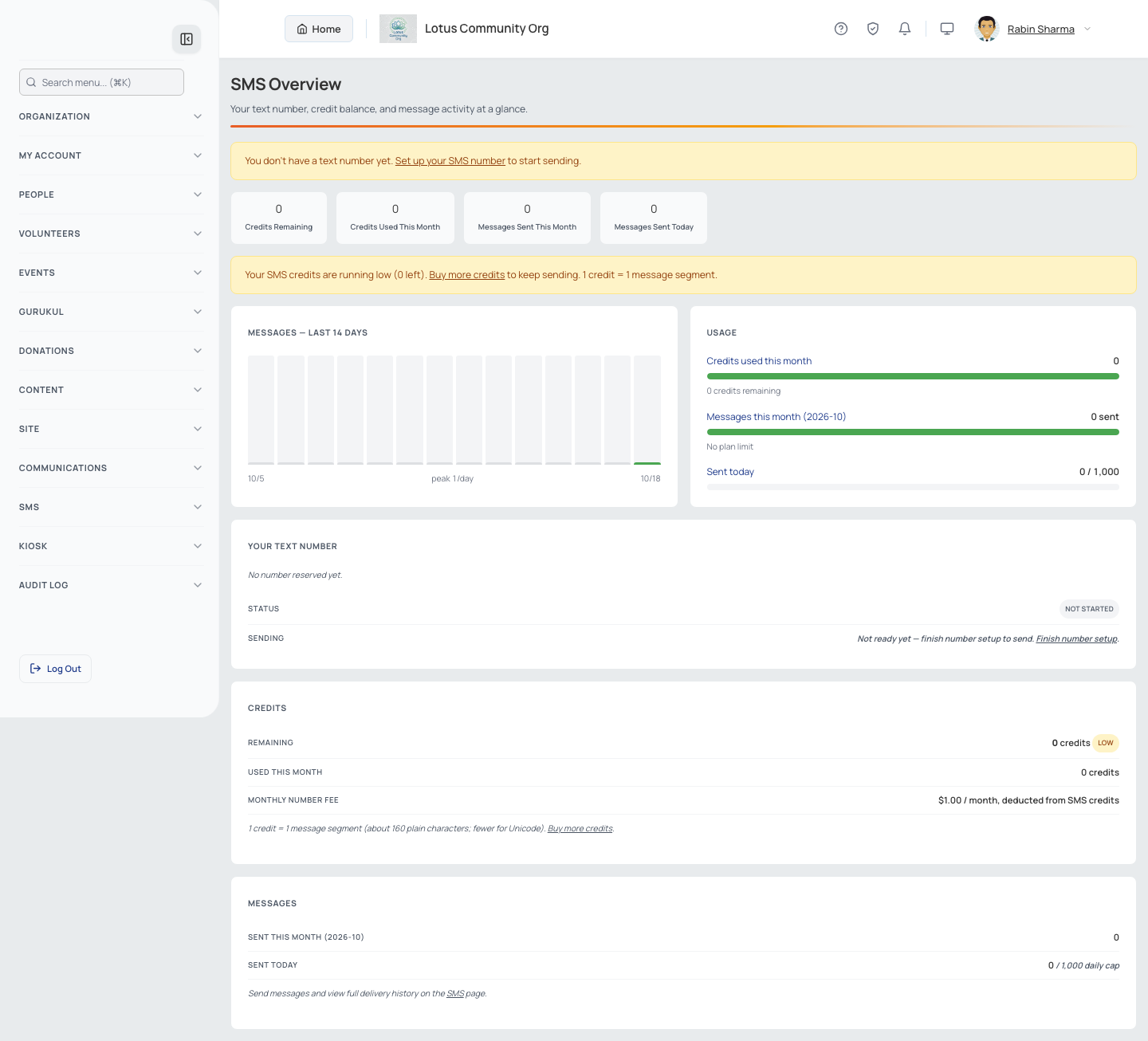
Where: left menu → SMS. The group has four items: Overview, Number Setup, Send SMS, and Credits.
Sending a message
Section titled “Sending a message”Go to SMS → Send SMS.
- Choose who you’re texting — a single member, all opted-in members, or a member tag (group) — for example, everyone tagged Board or Youth. A live recipient count shows how many people will receive it before you send.
- Write your message. Keep it short; longer messages may use more than one credit.
- Send. Every send is recorded in the SMS log so you can confirm it went out.
Automatic reminders
Section titled “Automatic reminders”Recurring reminders — like membership renewals and event reminders — are turned on under Settings → Notifications, not on the Send SMS page. Switch on the ones you want there, and Sevabase sends them automatically to opted-in members. See Settings for the full list.
The SMS log and Overview
Section titled “The SMS log and Overview”The Overview page is your at-a-glance dashboard: your number’s status, a Members reachable headline (everyone opted in with a phone on file), your credit balance, today’s and this month’s usage, and any daily caps. A Send a message button sits in the header, and an Audience & opt-in card gives you quick links to grow your opt-in list or send to a group — plus a reminder that you can record consent you already have on paper from the Members page (see below). If your credit balance is low or empty, a banner offers Buy credits right there.
The SMS log records every message sent, who it went to, and its delivery status, so you can confirm a reminder actually reached members.
Opt-in, STOP, and HELP
Section titled “Opt-in, STOP, and HELP”You may only text people who have opted in. Members opt in from their profile, during sign-up, or through your opt-in page (which you can share directly or put behind a QR code).
- A member who replies STOP is unsubscribed automatically.
- A member who replies HELP gets a help response.
Someone who opted out must re-consent through the opt-in page or their profile — Sevabase always respects these choices.
Already have written or verbal consent on file for a group of members — say, from a paper sign-up sheet? Use Mark SMS opted-in on the Members page to record it in bulk, without asking each person to opt in again online.
Credits and caps
Section titled “Credits and caps”SMS runs on prepaid credits. You buy credit packs at SMS → Credits, and each message uses credit from your balance. There are also daily send caps to prevent over-messaging. You can’t send once you’re out of credit, and you can’t send at all until your number is Verified.
Number setup and verification
Section titled “Number setup and verification”Setting up and verifying your number is a one-time process handled in a four-step wizard — see the SMS setup guide for the full walkthrough. Day to day, the Submission log and any carrier rejection guidance live on SMS → Number Setup, so if a verification is still pending or was rejected, that’s where to check on it and resubmit.